



 Contact
When you’re creating an eCommerce website, one of the most important decisions you’ll make is which top-level categories to include. These categories will be the first thing shoppers see when they visit your site, so it’s crucial to choose wisely. In this blog post, we’ll discuss what top-level categories are and why they’re important. We’ll also give you some tips on how to pick the right ones for your business!
What Are Top Level Categories? Why Are They Important?
Top-level categories are the main headings that shoppers see on your eCommerce website. These categories can be anything from “Clothing” to “Electronics” to “Toys & Games.” When you’re designing your website, it’s important to think about which top-level categories make the most sense for your business.
When shoppers visit your website, they’ll want to be able to find what they’re looking for quickly and easily. That’s why top-level categories are so important. They help organize your inventory and make it easy for shoppers to find what they need. In addition, top-level categories can also help you attract new customers. When shoppers see a category that they’re interested in, they’ll be more likely to visit your website.
How To Choose Your Top Level Categories
When choosing your top-level categories, there are a few things you’ll want to keep in mind:
- Think about the products you sell. What are the main categories?
- What type of customer are you targeting?
- What would be the most logical way to group your products?
- How do other eCommerce websites structure their top-level categories?
Once you’ve thought about these things, it’s time to start brainstorming some possible top-level categories. Top-level categories vary greatly from website to website and industry to industry. It’s important that you’re creative and choose categories that separate your products effectively.
How Many Top Level Categories Should You Have?
There’s no right or wrong answer when it comes to how many top-level categories you should have. It depends on the type of business you run and what makes the most sense for your customers. However, we recommend having at least three top-level categories and no more than five to seven. This will give shoppers plenty of options to choose from, while still keeping your website organized and easy to navigate.
When you’re choosing your top-level categories, it’s important to think about both design and SEO. Your top-level categories should be visually appealing and easy for shoppers to navigate. In addition, they should also be keyword-rich so that they appear in search engine results pages (SERPs).
Ways To Display Categories
Once you’ve chosen your top-level categories, it’s time to decide how to display them on your website. There are a few different ways you can do this:
- Horizontal navigation: This is the most common way to showcase top-level categories. The categories are displayed in a horizontal menu at the top of the page.
- Vertical navigation: This is another common way to showcase top-level categories. The categories are displayed in a vertical menu on the left side of the page.
- Dropdown mega menus: Dropdown menus allow shoppers to drill down into specific subcategories. They’re ideal for websites that have a lot of top-level categories.
- Tabs: Tabs are a great way to showcase multiple top-level categories on one page. They’re perfect for websites that have a lot of products in each category.
Here are some examples of our client’s top-level category displays:
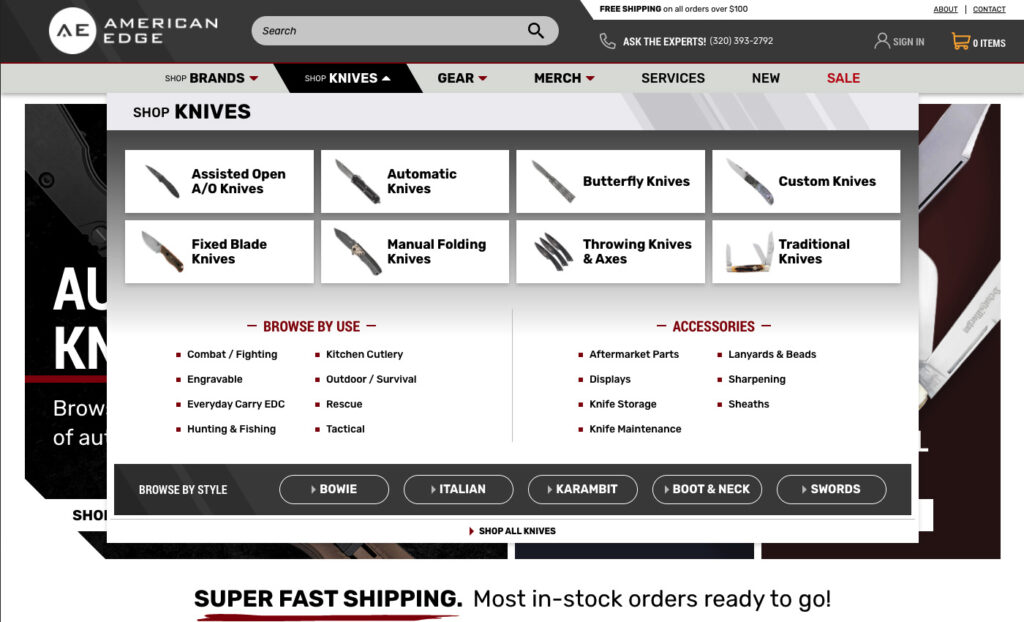
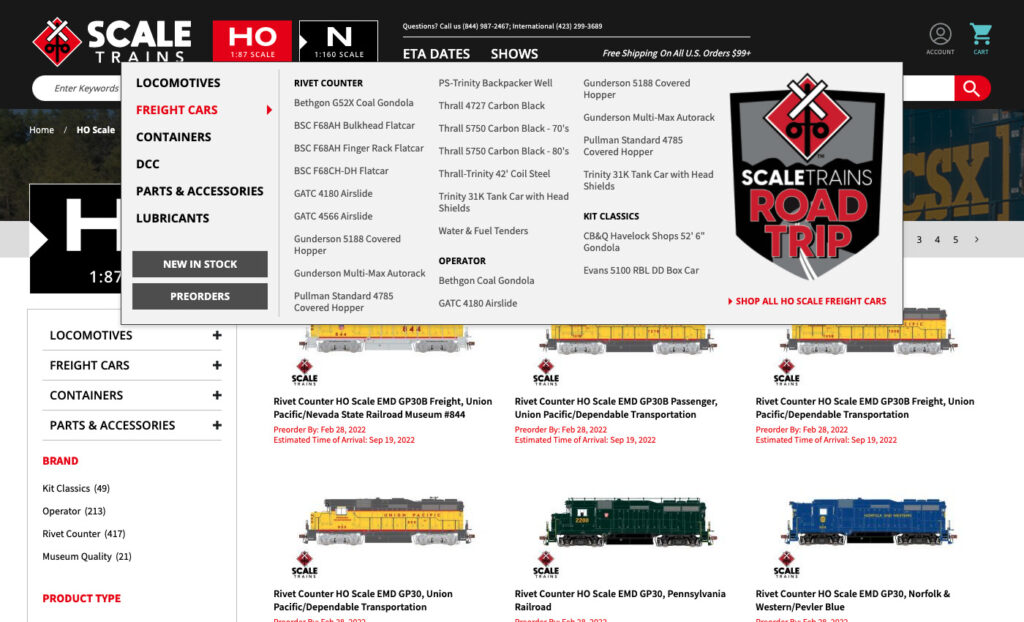
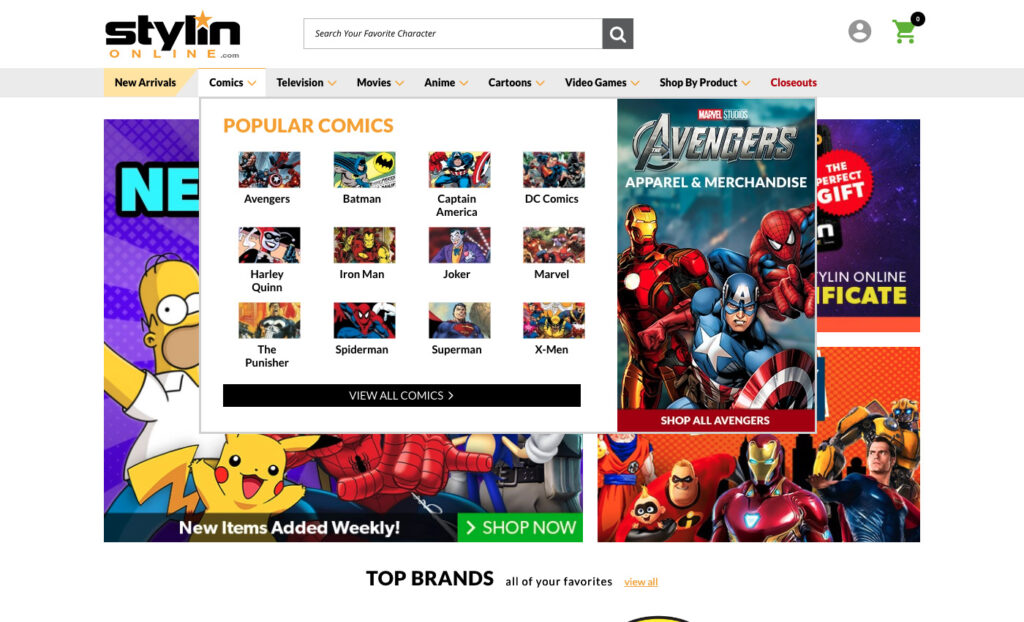
If you’re not sure which approach is best, we recommend starting with horizontal navigation. It’s the most common way to showcase top-level categories and it’s easy for shoppers to use. Plus, it’s perfect for websites that have a lot of products in each category.
If you’re looking for a more advanced navigation system, vertical navigation or dropdown mega menus might be right for you. They both allow shoppers to drill down into specific subcategories, making it easy to find what they’re looking for.
Finally, if you want to showcase multiple top-level categories on one page, tabs or carousels might be the right choice for you. They’re both perfect for websites with a lot of images.
No matter which approach you choose, make sure that it’s visually appealing and easy for shoppers to use. The last thing you want is a navigation system that confuses or frustrates your customers.
EYStudios Can Help
Choosing the right top-level categories for your eCommerce website can be tricky, but it’s a crucial step in creating a successful online store. Keep these tips in mind when you’re picking your categories, and remember to be creative! Shoppers will appreciate having plenty of options to choose from.
If you need help creating or upgrading your eCommerce website, EYStudios can assist you. We have years of experience in the online retail industry and we know how to create websites that shoppers will love. Contact us today to learn more!